I rebuilt my photo-to-emoji project in Rust, profiling and optimizing one bottleneck at a time.
The result: processing time dropped from 44 seconds to 32ms: a 1375x speedup, running in the browser with WebAssembly.
In 2019, I created a Twitter bot named @Emojify1:
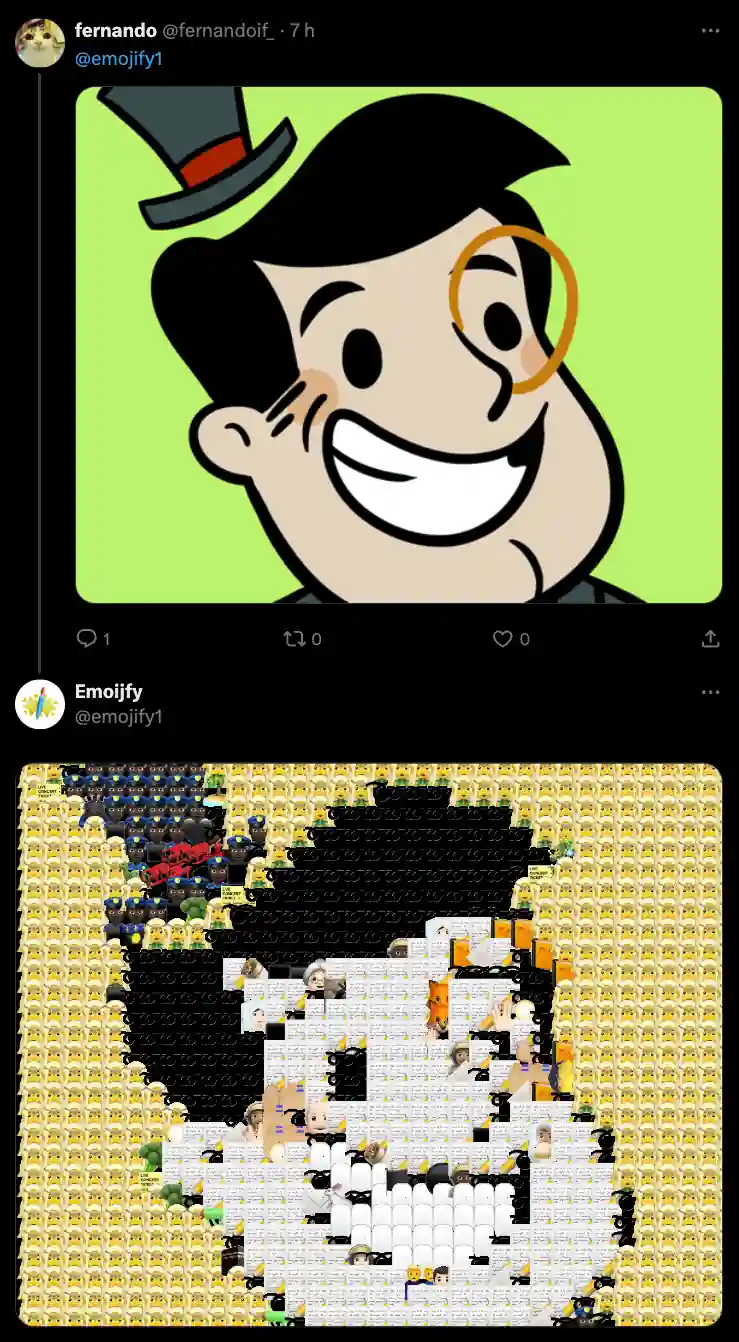
It was a simple bot: whenever someone tagged it in a tweet with a photo, it would reply with the same photo, but emojified.
I was quite happy with the results, but there were two major issues:
- It was really slow, taking ~40 seconds to emojify a 1024x1024 image.
- I would get stack overflow and out-of-memory errors with input images larger than ~2000px.
So, I made a fun decision: I'll revisit the project once I have more knowledge and experience.
Now, that time has come.
2024's Emojify
The original @Emojify1 was banned when X changed its bot policies, so the 2024 version of Emojify is a WASM package hosted on my personal website.
It's written in Rust because: a) I wanted a language without garbage collection; b) I was looking for an excuse to learn a bit of Rust.
The algorithm
I created the original Emojify algorithm from scratch in 2019. It's pretty simple:
- For each emoji, I precomputed its average RGB value as part of the build step:
{ "emoji_file": "10.png", "avg": [ 229, 75, 75 ] }
* - At runtime, I searched for the emoji whose
avgwas closest to the RGB value of a given pixel in the input image.
There are definitely algorithms that would produce a more faithful output image, but this was the first thing that came to mind in 2019 and, surprisingly, it worked well. For the 2024 version, I'll use the same basic algorithm.
The plan
The plan was to recreate the 2019 code 1:1 and then:
- Profile and benchmark;
- Optimize the biggest bottleneck;
- Repeat until it's fast enough.
Okay, time to code the initial 1:1 version of Emojify in Rust! It will definitely be faster.
It was... slower. It took 55 seconds to emojify an image that the 2019 JS version processed in 44 seconds.
This was weird — how could the exact same code be slower in Rust than in JavaScript?
I instinctively thought, "Wow, okay... I should probably optimize the emoji search step. I'm just searching the entire array. I know a k-d tree can do multidimensional searches in O(log n) on average, so I should use that..."
But I decided to stick to the plan: profile to find the biggest bottleneck, so I'd always be working on whatever would make the biggest difference.
From 55 seconds to 12 seconds
When I looked at the flamegraph, I saw something unexpected:
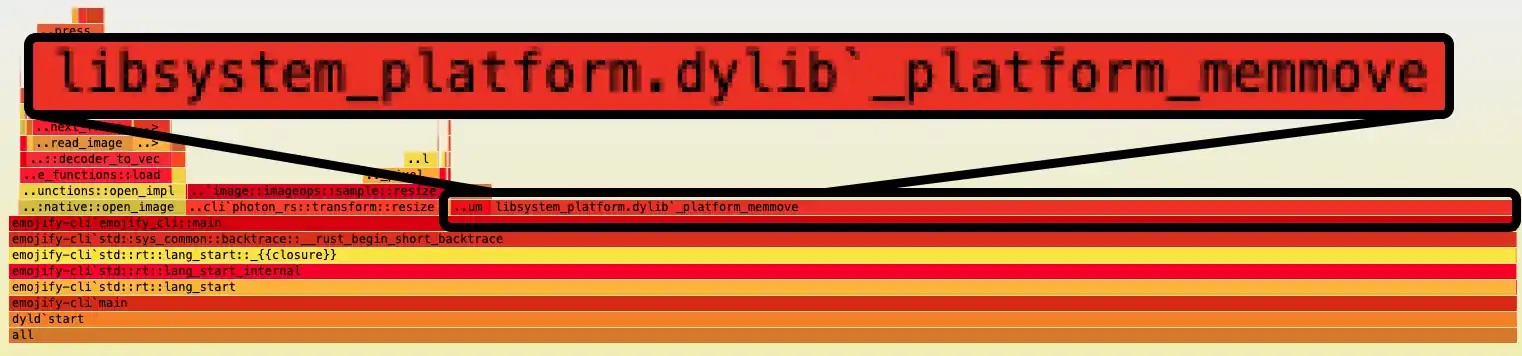
libsystem_platform.dylib_platform_memmove (1951 samples, 73.67%) was the biggest bottleneck. That was strange because I supposedly wasn't copying that much memory.
Then I took a closer look at this function:
fn single_emojify(img: &PhotonImage, pos: (usize, usize)) {
  // Gets the RGB value of the input image at a given position (x, y)
  let rgb = pixel_value(img.get_raw_pixels(), pos);

  // Find the emoji with the least delta
  let emoji = find_emoji(rgb);

  // Adds the emoji to the output image at the given position
  add_emoji(img, emoji, pos);
}
single_emojify() is called for every emoji in the output image to place it at a given pos. To do that, it first needs to get the RGB value at that position. And that's where the problem was:
img.get_raw_pixels() is a photon_rs function that returns the image's raw pixel values. When I first wrote the code, I didn't notice that, under the hood, it copies those values into a newly allocated Vec<u8>.
That's what was causing all those memmove calls. Fixing this was trivial, and it reduced the runtime from 55 seconds to 12 seconds!
Yeah, turns out it wasn't an exact 1:1 copy... Now it was, and we could see the difference between the two versions: Rust took 12 seconds while JS took 44 seconds.
After fixing the unnecessary memory allocations, I thought:
"Okay! Now it's time to optimize the algorithm and use fancy data structures!" — Me
Obviously, I was... wrong again. The next optimization was simply writing a more efficient overlay function.
From 12 seconds to 4 seconds
For a given pos (x and y coordinates), we need to find the emoji whose average RGB value is closest to the pixel's RGB value. But once we've found it, how do we actually add it to the output image?
I was using photon_rs's watermark() function, which takes two images and overlays one on the other at a given position.
During the second round of profiling, watermark() turned out to be the biggest bottleneck. This left me with two options: i) look into the internals of photon_rs and try to optimize it; ii) create my own overlay function for my specific use case. I opted for the latter, as it seemed manageable.
For the first version of overlay(), I coded the most naive, brute-force approach I could: copy each pixel's RGB value from the emoji into the corresponding position in the output image. I was sure this would perform worse than photon_rs's watermark() and that I'd need to get clever with memory locality and SIMD, using techniques like tiling and vectorization.
Surprisingly, when I benchmarked it, the results were excellent! The runtime went from 12 seconds to 4 seconds.
From 4 seconds to 2.5 seconds
Profiling again showed that the naive overlay() was far from being the bottleneck. The biggest bottlenecks were now two functions from photon_rs: resize() and open_image().
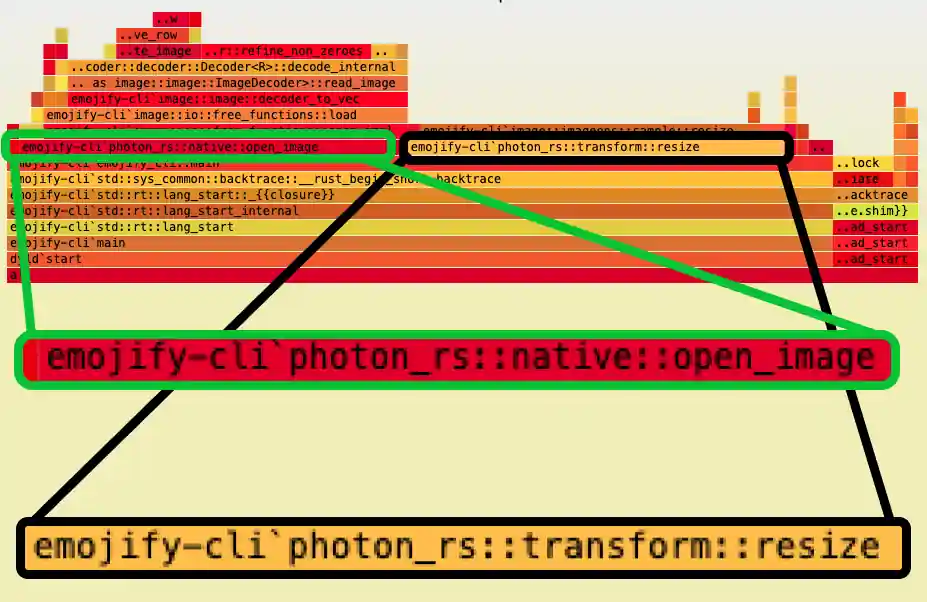
open_image()
As the name suggests, this function takes a file path and returns a PhotonImage. It accounted for about 42% of the runtime because Emojify needs to open lots of images: the input image and a subset of the ~2k emojis.
I was loading the emoji images lazily, which is good: instead of loading all 2k emojis, we only need about 100 of them.
Still, every time an emoji was selected, Emojify loaded it from disk.
resize()
As the name suggests, again, resize() takes an image and a target resolution, (width, height), and returns a new image resized to those dimensions.
We need resize() because the emoji images are 64x64 px, but for most input images, we need smaller emojis. Otherwise, the output would look like this:
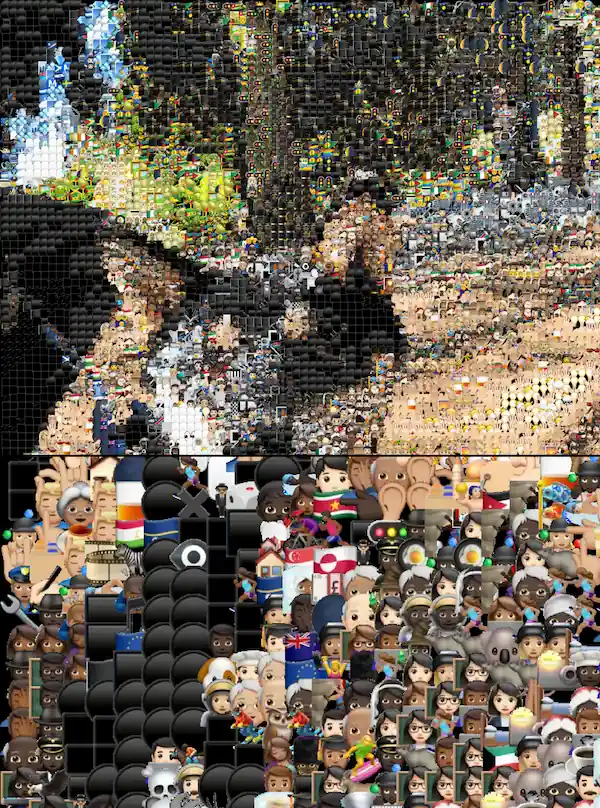
Before placing each selected emoji, Emojify resizes it to NxN pixels, where N stays the same for a given input image.
Making both faster
The problem is that if the same emoji is selected 50 times, we're loading it from disk 50 times and resizing it 50 times. This is unnecessary work we can easily avoid: load and resize it only the first time it's selected, then reuse it.
With memoization, the total runtime went from 4 seconds to 2.5 seconds.
From 2.5 seconds to 1.2 seconds
The output image can (and probably will) have a different resolution from the input image. To create a canvas for the output, I was resizing the input image to the target resolution, then placing emojis on top of it.
Resizing the input image was unnecessary work — I knew that from the get-go. I only did it for convenience; all I needed was an empty canvas at the output resolution.
Skipping that resize removed the current bottleneck, taking the runtime from 2.5 seconds to 1.2 seconds!
From 1.2 seconds to 450ms
As I've mentioned a few times, I kept thinking the best optimization would be a fancy data structure, and it never actually was... until now!
Our biggest bottleneck was now find_emoji(), which finds the emoji whose average color is closest to the input pixel's color at a given position.
At this point, the function searched an array of all ~2k emojis, calculating the difference between each emoji's average RGB value and the input pixel's RGB value.
From previous projects, I knew I could use a k-d tree — which is somewhat like a binary search tree, but n-dimensional. The cool thing is that, once built, it can search in O(log n) on average.
With this change, we went from 1.2 seconds to 450ms!
At this speed, it felt like a good time to port it to WASM, since:
- This was my first real Rust project. I wanted to feel comfortable with the language before trying WASM, and I finally did;
- The remaining optimizations would involve things that could behave differently in the browser than in a native build, like memory locality, SIMD, and multithreading.
WASM
When I first ported it to WebAssembly, the runtime went from 450ms to... 4.07 seconds.
4 seconds was completely unacceptable. So what did I do? Exactly the same as before:
- Profile the app;
- Spot the biggest bottleneck;
- Try the simplest optimization.
WASM: from 4.07 seconds to 354ms
photon_rs's resize() was the problem, but it came from the image library I was using... How do we fix it? The same way we did with watermark(): write our own resize()!
I won't go into the details of Emojify's custom resize() because that's outside the scope of this post. I just want to clarify that I did not create a general-purpose resize() that's 92% faster than photon_rs's.
What I did was make reasonable trade-offs for my use case. My resize() can only scale down, it completely ignores the alpha channel, and its accuracy is terrible. But for Emojify, it's more than enough.
WASM: from 354ms to 32ms
The next bottleneck was moving image data between JS and WASM. With the bindings I was using, passing an image to a WASM function meant copying its pixel array into WASM's memory. Returning the output image meant copying its pixels back into JS memory.
The useful part is that JS can access WASM's memory directly. So, instead of passing the whole input image (just a huge array of unsigned integers), JS can write the pixels into WASM's memory and pass a pointer to them. On the way back, WASM can return a pointer so JS can read the output directly.
The idea was to modify Rust's emojify() function to take a pointer to the input image and return a pointer to the emojified output. Pretty simple.
Doing this reduced the runtime from 354ms to 32ms!
I'm happy with 32ms — although I must say there's something appealing about getting under 10ms — so I'll leave it at that.
Conclusion
My biggest takeaway from revisiting Emojify five years later is: you can't improve what you don't measure. So, profile! Profile! And profile again!
Our intuition is often wrong. If you have data, use it to decide what to optimize.
Oh, and you can try the 2024 version of Emojify here.